From a MIDI performance to readable notation
To convert MIDI to sheet music, choose the file, pick a part, and set a notation grid. Review the staff draft, then download the SVG or ABC notation, or print it and choose your browser's Save as PDF option. The original MIDI file is not changed.
MIDI stores performance events rather than a finished engraved score. A notation grid decides how event timing maps to readable note values. A finer grid can retain short events but produce more rests and ties. A coarser grid can simplify the page while changing the represented timing.
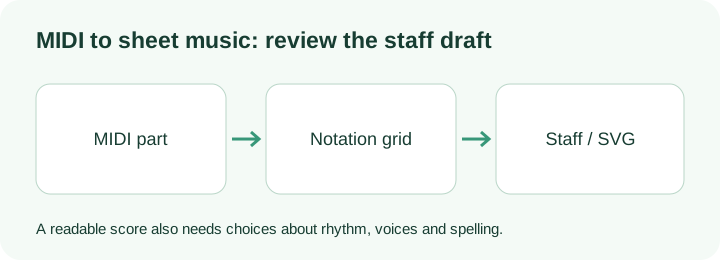
The choices this viewer makes
Midilot groups pitched events by their original MIDI track and channel. The part selector shows the group you are viewing, so changing the part does not silently mix every instrument into one staff. Percussion-channel events are excluded from pitched notation.
The draft uses C as its written key context, explicit accidentals and a 4/4 measure layout. This does not mean the original piece was in C or 4/4. The initial MIDI tempo is printed; later tempo changes are not engraved. Export the draft to a notation editor if you need the original meter, key signatures or a professional page layout.
Notes are snapped to the selected quarter, eighth or sixteenth-note grid. Overlapping notes are assigned to separate written voices, with at most eight simultaneous voices. A low average pitch selects a bass clef; other voices use treble. The MIDI does not tell this viewer how a pianist divides notes between hands, so these staves are not a claimed left-hand/right-hand transcription.
The notation uses the key-release duration, rather than stretching the written note to the sustain-pedal release. This makes a specific difference on the second reference below: the C4 key occupies two quarter-note beats, although its sound lasts three. A pedal-held sound and a held key are different events.
Check a known melody before using your own file
The original melody MIDI contains eight pitches: C4, D4, E4, G4, A4, G4, E4, C4. Their starts are the integer beats 0 through 7. Each duration is 0.75 quarter-note beats. At the default sixteenth-note grid, that is a dotted eighth note followed by a sixteenth rest before the next start. The two bars are a concrete way to check both pitch and rests.
For a second check, load the pedal and tempo reference. C4 is keyed from beat 0 to beat 2 and sustained to beat 3. The staff should describe the key duration, while the audio renderer follows the pedal tail. Do not compare these two artifacts as though they represent exactly the same thing.
The programmed events are listed in the reference JSON, including input hashes. They were made for these checks and contain no claim about transcription accuracy. If your source MIDI came from audio, compare it with the recording first; engraving cannot recover missing notes.
Questions about the result
Can I download a PDF score?
Select Print / save PDF after checking the draft. Your browser opens its normal print dialog; choose Save as PDF there. SVG and ABC downloads are also available directly.
Why do the staves not match the original sheet music?
The draft makes its own choices about meter, spelling, rhythm grid and voices. MIDI usually does not retain the full engraving decisions of a written score. Use a notation editor to correct those choices.
Can I use the audio-to-sheet-music workflow with this viewer?
Yes. First make and inspect a MIDI estimate, then choose that file here. The audio to sheet music guide explains the two separate stages.
What the original-sample run displayed
On 14 October 2026, Try original sample produced a staff SVG and enabled the SVG and ABC downloads. The event table displayed C4, D4, E4, G4, A4, G4, E4 and C4 at beats 0 through 7, each with length 0.75 beats. The selected grid was 0.25 quarter-note beats. These are actual readings of this controlled input; the note table and the engraving remain separate things to inspect.