Turn note instructions into an audio file
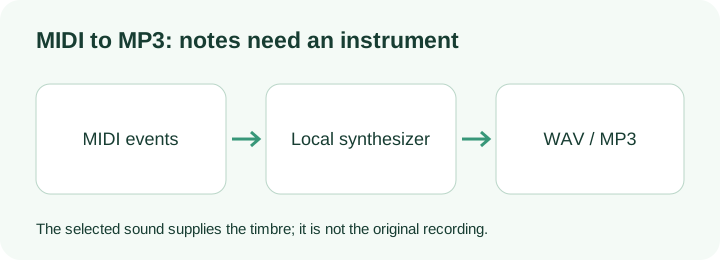
A MIDI file tells an instrument which notes to play. It does not contain the singer, piano recording, or original mix. To make an MP3, this page reads those note events, supplies a synthesized sound, and encodes the resulting waveform. The sound you choose here therefore changes the timbre.
Choose a .mid or .midi file, select a sound, and convert. Listen to the WAV preview before downloading the MP3. For MIDI to WAV, use the second download from the same render; changing the output container does not restore an original recording.
What this renderer actually keeps
Midilot reads Standard MIDI formats 0 and 1 with quarter-note timing. The event reader combines the tracks on one time line, applies tempo changes when translating ticks to seconds, and pairs note-on with note-off events. A note-on with zero velocity closes a note rather than starting a silent new one. These are concrete rules in this page's own reader.
The renderer follows sustain controller 64: a released key can remain sounding until the pedal is released. The separate key-release time remains in the parsed record. That distinction matters if a long piano tail sounds right but would be misleading as a long written note in a score.
Both sound choices are synthesized pitched tones. Program changes, SoundFonts, pitch bends and instrument-specific articulations are not reproduced. Drum-channel notes are skipped and the status reports the skipped count; a drum-only file is rejected. The output is mono PCM at 22,050 samples per second. The WAV is 16-bit; the MP3 encoder setting is 128 kbps. These settings describe this implementation, not a quality ranking.
Two original files you can check
The eight-note MIDI has C4, D4, E4, G4, A4, G4, E4, C4 at 120 BPM. Each note starts one quarter-note beat after the previous one and stays keyed for three quarters of a beat. The last key release is at 3.875 seconds. The renderer allocates a further half second for its release tail, so this example tests note timing separately from audio-file duration.
The tempo-and-sustain MIDI is a different test. C4 starts at 0 seconds, its key is released at 1 second, and the pedal holds it until 1.5 seconds. E4 spans 1–2 seconds. At beat 4, the tempo changes from 120 to 60 BPM, so G4 lasts from 2–3 seconds. A render that treats every tick as the same number of seconds cannot follow that sequence.
These files were programmed for Midilot, not taken from a performance. Their expected note events and hashes are in the reference record. Use Try original sample for the melody, or download and choose the second file. Listen, compare the times and check that the tail releases; neither input is a benchmark of all MIDI instruments.
Questions before exporting
Can I convert MID to MP3?
Yes. MID is the usual .mid filename extension. Choose it above. The reader still checks the actual MIDI header; renaming an audio file to .mid will not make it a MIDI sequence.
Does converting MIDI to MP3 preserve a recorded voice?
No. This page supplies a synthesized tone for the note events. Use the original audio if you need the recorded voice or instrument sound.
Why is a file rejected?
Format 2, SMPTE timing, malformed event lengths, files over 10 MB, more than 5,000 notes, and playback over five minutes are rejected. Very dense overlapping parts can also exceed the renderer's work limit. Export a shorter pitched part from your music software and retry.
What the original-sample run produced
On 14 October 2026, Try original sample returned eight pitched notes and a playable local WAV preview. The rendered PCM contained 96,469 samples at 22,050 samples per second: 96,469 / 22,050 = 4.375011 seconds. The original notes end at 3.875 seconds; the remaining half second is allocated for the release tail. This is one controlled input, not a general speed test.
The matching MP3 contained 71,053 bytes. An independent decoder read it to the end as mono MP3 at 22,050 Hz with a 128 kbps audio stream. MP3 frame padding means its playback boundary can differ slightly from the PCM boundary. Check the musical events and release separately from the encoded container size.