A link is a different starting point from an audio upload
This YouTube to MIDI workflow begins with a video URL. It opens a player, then records the audio from a browser tab that you explicitly select. After recording, the local converter estimates melody notes. You control the section by playing and stopping it; the page does not retrieve a hidden audio download.
Desktop tab-audio sharing is required. On a phone or a browser without that capture feature, the recording step cannot run. Loading a video is not the same as granting recording permission. Some videos also disable embedded playback, require sign-in, or are unavailable in your region; those restrictions are not removed here.
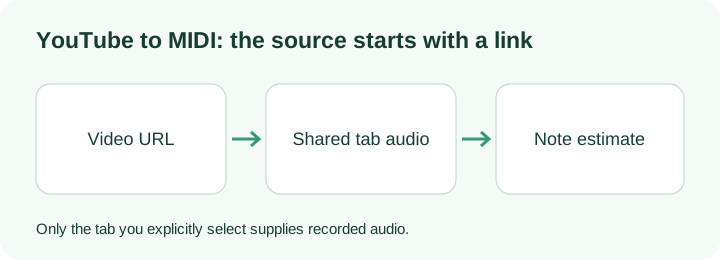
What this link workflow does locally
The link reader accepts ordinary youtube.com watch URLs, youtu.be short links and YouTube shorts, embed or live paths containing an eleven-character video identifier. It removes playlist and tracking parameters when it builds the player address. A look-alike hostname is rejected instead of being treated as a trusted media source.
The player uses YouTube's privacy-enhanced embed hostname. It still contacts YouTube when you load a video. The browser's share dialog decides which tab is recorded; typing a link cannot silently grant access to your screen or microphone. The page rejects a shared window or monitor when the browser reports that surface type, and requires an audio track.
During recording, audio samples are collected into a local PCM WAV. Video pixels are not saved. Pressing Stop recording closes the capture tracks and makes the audio available for review. The five-minute capture limit stops a recording automatically. Permission denial or a missing shared audio track produces a specific message rather than a fabricated conversion.
The resulting file goes through Midilot's existing single-pitch detector. It does not separate instruments, recover every chord tone, preserve lyrics or copy a video's original timbre into MIDI. Recorded tab sound can include other sounds playing in that selected tab, so keep the source focused and stop at the section boundary.
Checks you can make before trusting the output
Use a recording that you own or have permission to process. First load its link and verify the player shows the intended source. Keep the rights confirmation separate from the browser sharing choice: one describes your permission to use the material, the other controls what audio the browser exposes to this page.
After stopping, listen to the captured audio preview before converting. If it is silent or contains the wrong section, the MIDI step cannot correct that. The displayed capture duration comes from the actual sample count divided by the capture sample rate, not from a video's advertised duration or an estimated download time.
Inspect returned pitch labels and boundaries separately. Our original local reference experiment returned the expected eight tone labels, but its D4 start was displayed at 0.42 seconds instead of the programmed 0.58 seconds. That difference of −0.16 seconds shows why a plausible pitch label is not enough to verify a captured phrase.
The same experiment's three-note chord input became one C2 event rather than C4, E4 and G4. Those original input files and raw note-list rows remain downloadable. They test the downstream detector, not YouTube capture permission or every embedded video. A source video needs its own capture-and-listen check; the synthetic test is not presented as a successful YouTube transcription.
Questions about links and recording
Can I paste a playlist link?
The tool needs a particular video identifier. It removes playlist parameters and loads that video only. It does not walk a playlist or convert multiple videos.
Does it use a file upload as the link converter?
No. The entry field is a YouTube URL. The browser captures the tab audio after your sharing choice; the local WAV is created from that recording, without asking you to upload a file.
What if Share tab audio is missing?
Use a supported desktop browser and select a browser tab. If the browser does not provide an audio track, this page reports the problem and cannot record that source. It does not silently switch to a different recording.
What our actual link recording produced
On 14 October 2026, we opened our own public English explanation video from its link in this page. The owner explicitly shared this browser tab with audio enabled. We played the embedded video, stopped recording, selected Convert to MIDI, and saved both downloads through the page's buttons. No file upload was used as the link entry.
The downloaded mono WAV contained 1,830,912 samples at 48,000 Hz: 1,830,912 / 48,000 = 38.144 seconds. That capture includes waiting before playback. The downloaded MIDI contained 61 note events in a 600-byte Standard MIDI File, format 0, one track, with 480 ticks per quarter note. A separate file inspection checked the track length, end marker and balanced note-on/note-off events; its note count and rounded start/length values matched the displayed list.
You can inspect the raw capture measurements and MIDI events and download this test's MIDI. The source was spoken narration, not a known sung melody. These results verify recording, processing and download; they do not measure musical transcription accuracy. A speech-derived piano roll is not evidence that a song's notes were recovered correctly.
If the browser says the page must be active, bring this converter to the front and click Record tab audio yourself. Then explicitly choose the video tab and its audio. Keep the captured preview for review before trusting a note list.