FROM RECORDING TO EDITABLE NOTES
How to convert a WAV file to MIDI
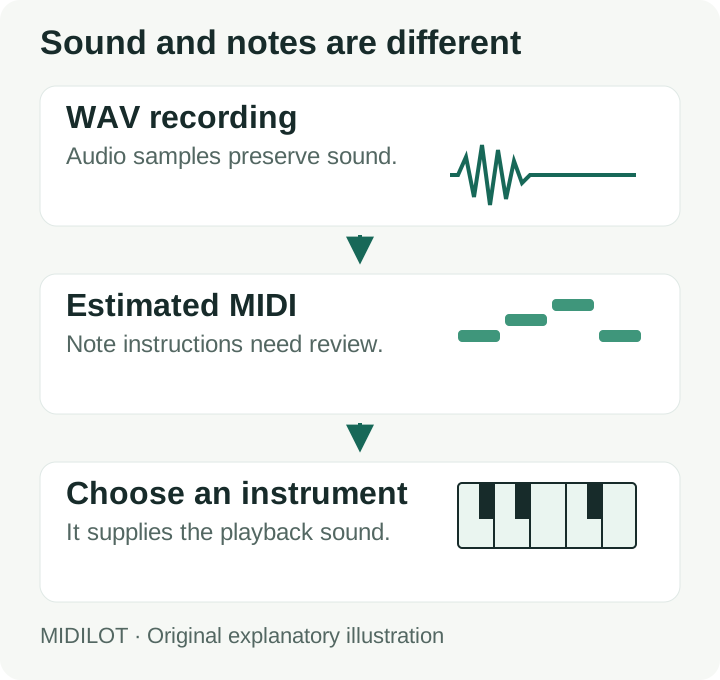
Use the converter above to turn a recording into a note estimate. WAV stores sound; MIDI stores instructions for playing notes. Your downloaded file therefore will not preserve the recorded voice, guitar tone, room sound, or effects. Choose an instrument in your music software to hear the MIDI.
- Choose one recording. Start with an isolated melody rather than a finished mix. The file picker also accepts M4A and FLAC when your browser can decode them.
- Select Convert to MIDI. Wait for the note list and piano roll. A decoding error means the recording has not reached note detection.
- Review before downloading. Check the note names, starts, and lengths. Download the .mid file, choose an instrument in your DAW, and compare it with the source.
What Midilot carries into the MIDI file
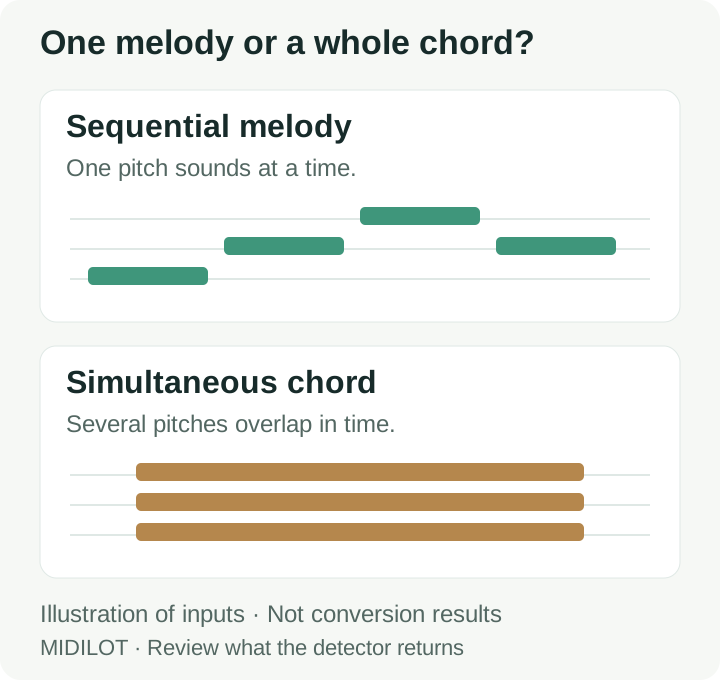
This converter estimates one pitch at a time. Stereo channels are averaged into one signal before analysis; a melody on the left and accompaniment on the right are not kept as separate tracks. Isolating a part before selecting the file is different from expecting the converter to separate it.
The export contains one MIDI track. Its tempo is fixed at 120 BPM and every note has velocity 88; neither value is a measurement of the recording. The file uses 480 ticks per quarter note. Note starts and ends are written from the detected times, so inspect their alignment before applying a DAW grid or changing the project tempo.
The detector can merge adjacent occurrences of the same pitch when their gap is shorter than 0.055 seconds. If a repeated note sounds like one longer note after conversion, compare those attacks with the recording and split the note in your editor where needed. These details come from the converter implementation, rather than an accuracy benchmark.
Try two original WAV reference inputs
These downloadable examples contain synthesized tones with known input notes. Each is mono, 16-bit PCM at 44,100 samples per second and lasts 4.64 seconds. They provide something concrete to compare against the note list; they do not establish a song transcription accuracy rate.
One note at a time
The input sequence is C4, D4, E4, G4, A4, G4, E4, C4. Each tone lasts 0.42 seconds, followed by 0.16 seconds of silence. Compare the returned labels and note boundaries with this reference.
Download melody WAVThree notes together
The input has C4, E4, and G4 sounding together in eight blocks with the same timing. This probes a limitation: a single-pitch estimate is not a transcription of all three chord tones.
Download chord WAVFor an exact comparison, the reference file lists the programmed note times and input file hashes. Count missing notes, extra notes, and timing differences separately. A file that downloads successfully can still need substantial editing.
M4A to MIDI and FLAC to MIDI
Use the same file picker for both formats. Acceptance of the filename does not guarantee that the browser can decode the audio inside it. Midilot uses the browser's decodeAudioData method, which reads a complete audio file before note detection.
If decoding fails, export a complete PCM WAV from an audio editor and try that copy. Renaming .m4a or .flac to .wav does not change the encoding. Changing the container also does not isolate a melody, remove accompaniment, or recover notes already obscured in the recording.
When a conversion stops or looks wrong
| What you see | What to check |
|---|---|
| A duration-limit message | The limit is 5 minutes for the decoded file. Export a shorter excerpt; converting the format alone does not shorten it. |
| No clear melody notes detected | The detector returned no notes. Try an isolated pitched part and check that the recording is audible. A drum-only part is not a pitched melody. |
| Fewer rows than the note count | The list shows the first 100 notes when the total is larger. This display limit does not remove later notes from the download. |
| A valid MIDI message, but the melody sounds wrong | The structural check verifies the file header and track length. It does not compare the detected pitches with a reference score. |
Questions before you convert WAV into MIDI
Which website or app do I need for audio to MIDI?
You can try Midilot directly in your browser using the converter at the top of this page. No account or separate conversion app is required. It estimates a single melody locally; use a DAW or MIDI editor afterward to choose an instrument and correct notes.
Does converting WAV into MIDI keep the original sound?
No. The result contains estimated note events. The selected MIDI instrument supplies the sound, so the timbre can differ even when a note pitch matches.
Can I convert a full song into separate MIDI instruments?
Midilot does not separate a song into instruments. A layered recording may produce incomplete or incorrect notes. Work with an isolated part if you need a melody estimate; do not treat this tool as a full arrangement transcriber.
Can I turn the result into sheet music?
Yes, a notation program can read the downloaded MIDI. Review the notes first, then follow the audio to sheet music guide. Notation displays the notes present in the MIDI; it cannot restore notes that were missed.